
Description
Golf simulation made for, and by, real golfers
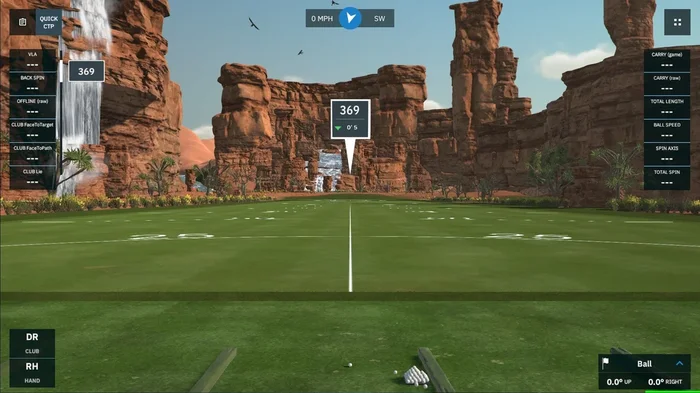
GSPro was created as a true simulator. It isn’t an arcade’y video game forked into the simulation space. This isrealgolf simulation software.
4K Graphics
Stunning, lifelike, in-game graphics built on the Unity gaming engine
Local and Online Play
Play with up to 8 players local or online in stroke, scramble, stableford, match play, best ball, alt shot, and more soon!
Realistic Ball Physics
Unrivaled game physics set GSPro apart from the competition
Continuous Improvements
We are just getting started. Constant game updates with new features
OpenAPI
We believe software should be flexible. You paid for it, you should be able to use it!OpenAPI documentation
1000+ User Created Courses
The GSPro community created course list grows daily! Over 500 high quality, lidar-based, courses all created withOPCDtools
The golf course simulations playable in GSPro are not endorsed by or affiliated with any real-world golf courses or their respective owners or operators.
What launch monitor devices are supported?
The following Launch Monitors areofficiallysupported. For other launch monitors such as Skytrak, and other launch monitors, please let those companies know you want to play GSPro!
- Uneekor EyeXO
- Uneekor EyeXO2
- Uneekor EyeMini
- Uneekor EyeMini Lite
- Uneekor QED
- Flightscope Mevo+
- Flightscope Xi
- Flightscope X2
- Flightscope X3 & X3C
- Foresight GC3*
- Foresight GCQuad*
- Foresight GCQuad Max*
- Foresight GCHawk*
- Foresight Falcon*
- Bushnell Launch Pro*
- Full Swing KIT
- Garmin R10
- Garmin R50
- ProTee VX
- Rapsodo MLM2Pro
*contact us for details
GSPro also has an open API/interface available for the community to create software for integrating with GSPro.
How do I install, setup, and get help for GSPro?
Downloading and installing GSPro only takes a handful of minutes. Once you purchase GSPro, you will recieve an email with your license key and download instructions. To make things even easier, we have created help videos. If these don’t provide the answers you need, email us at support
- GSPro Knowledge Base
- How to add your license key
- How to connect to Uneekor launch monitors
- How to connect to Foresight Sports / Bushnell Golf launch monitors
- How to connect your Flightscope device video walk through
- How to connect your Full Swing KIT
- How to connect your Garmin Approach R10 user guide
- How to connect your Garmin Approach R50 user guide
- Flightscope setup and user guide
- How to connect via Bluetooth COM (GC2)
- How to allow GSPro with virus protection
- How to manage your courses
- Check out the rest of our YouTube channel!
What are the minimum and recommended system requirements?
GSPro requires a
Windows PC(Windows 10 or Windows 11)
Recommended minimum hardware for 1080p play:
- 10GB free space
- GTX 3060
- 16GB memory
- Stable internet Connection
- Ethernet port and/or BT depending on Launch Monitor
Recommended hardware for a great 1080p experience:
- 20GB free space
- RTX 3070/3060ti GPU
- 16GB memory
Recommended hardware for a great 4k experience:
- 20GB free space
- RTX 3080 (or better) GPU
- 32GB memory
*Software purchases are non-refundable

Reviews
There are no reviews yet.